Patreon Discord

EVE Omnitool · tools for EVE Online

Market prices and live intel for EVE Online

Know the price before you haul, and the space before you undock. Look up what an item actually sells for, price a whole cargo hold in one paste, plan a planetary colony, and watch New Eden light up where pilots are dying - with the whole map of who holds what. Built on ESI, the official EVE Online API, and the zKillboard stream.

  • No account needed for anything below
  • Every screen says how old its data is
  • Kills arrive seconds after they happen

Latest kills

All kills

Loading…

Prices

Appraise

Loading…

Market

What things cost, where they cost less, and what your cargo hold is worth.

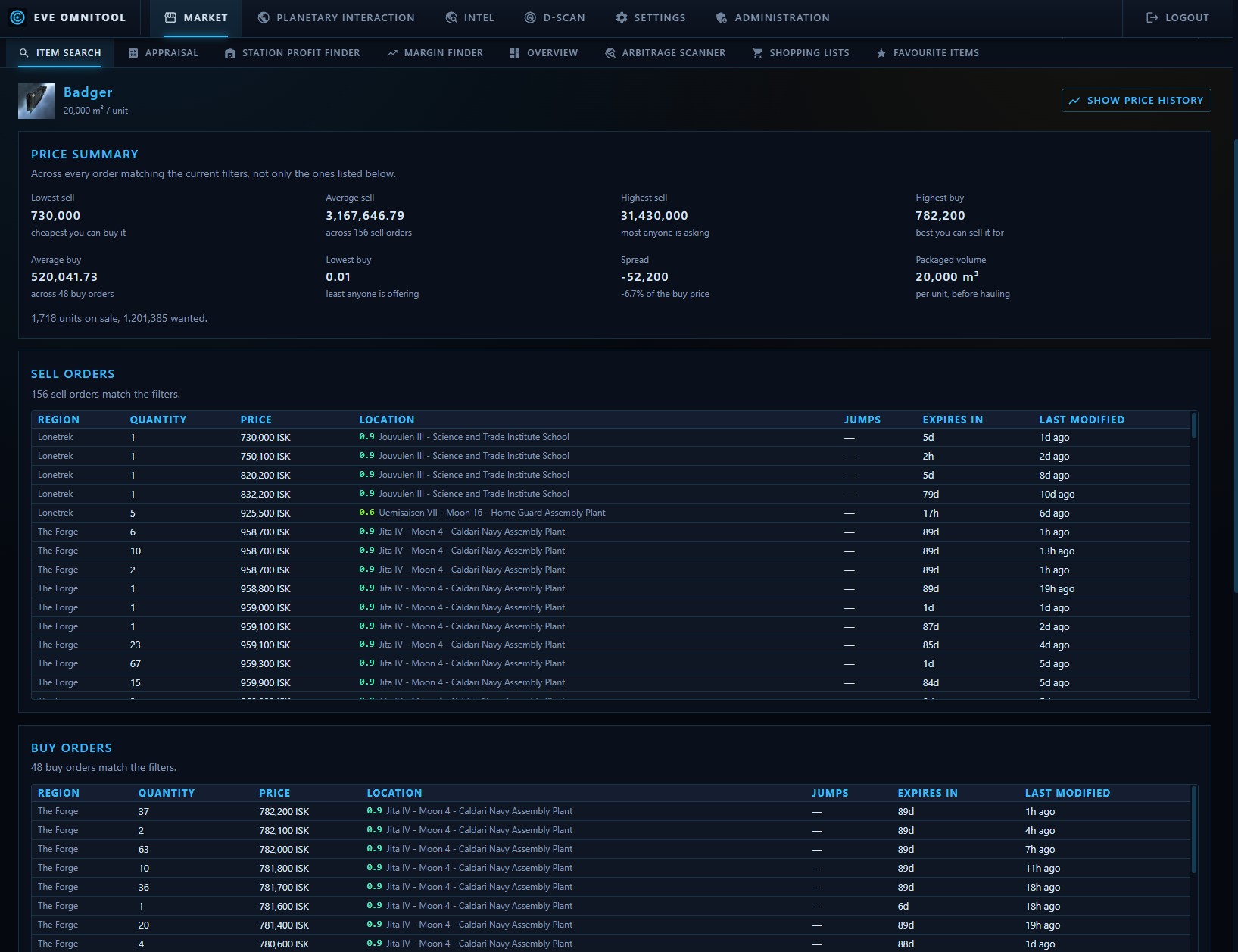
Item search for a Badger: a price summary with lowest sell, average sell, highest buy and spread, above tables of sell and buy orders listing region, quantity, price, station and security status
Lowest sell, highest buy and the spread up top - then every order behind those numbers, station by station.
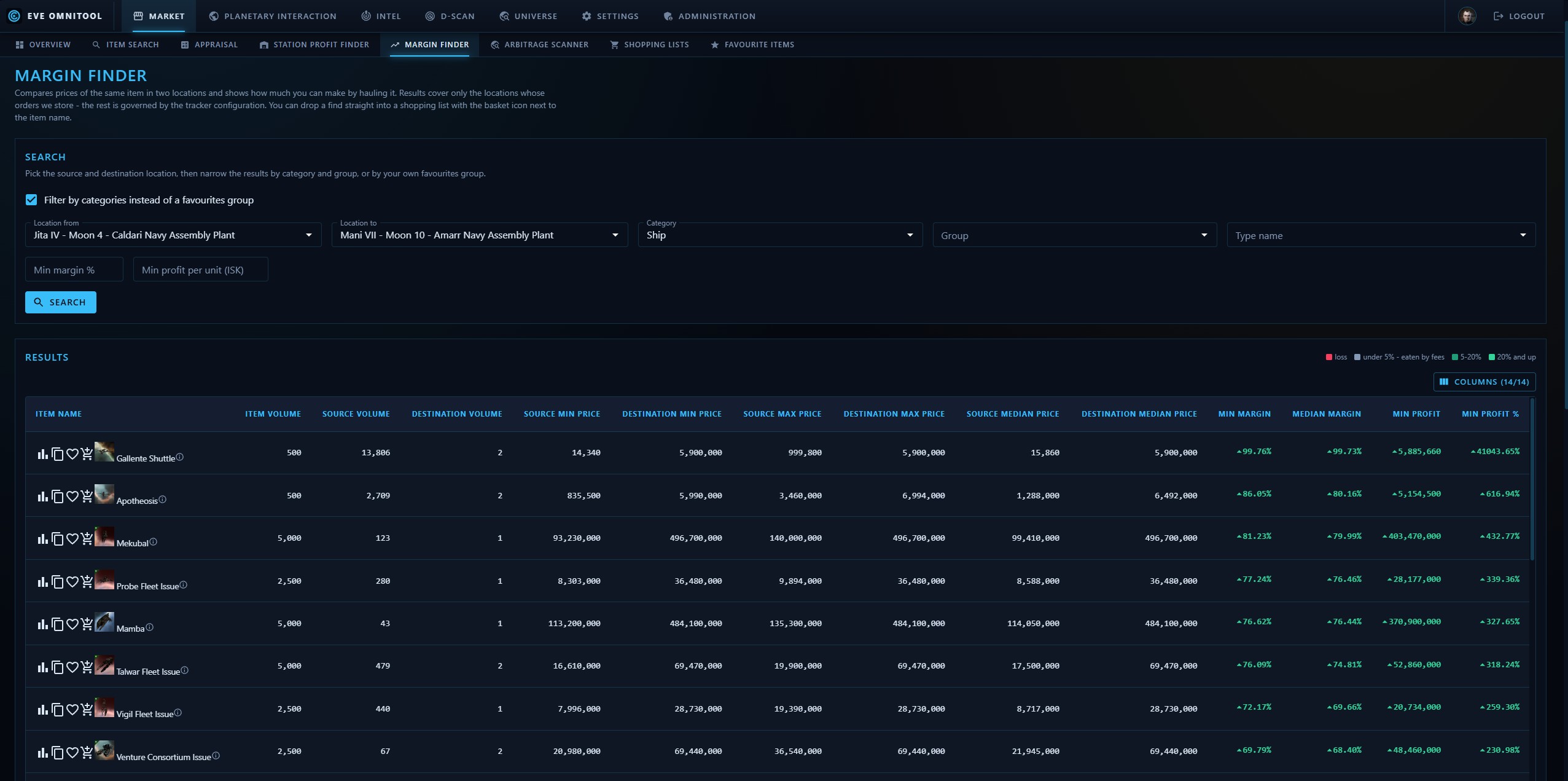
Margin finder: items ranked by the price difference between two stations
Two stations side by side, ranked by what the difference is actually worth.
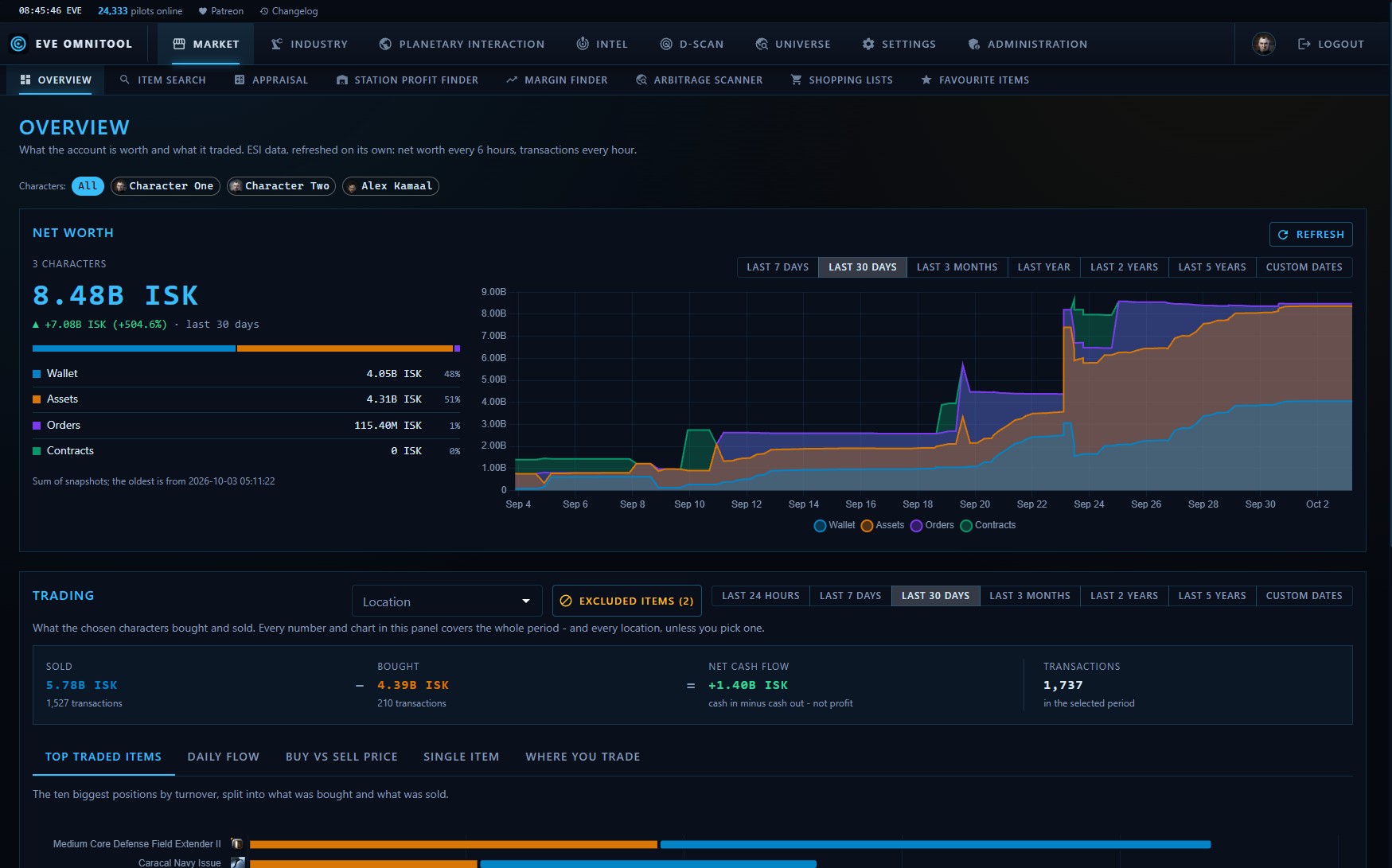
Account overview: wallet, assets, orders and contracts adding up to one total, a stacked chart of account value over the last thirty days, and trading totals below
Wallet, assets, orders and contracts as one number - and how it got there.
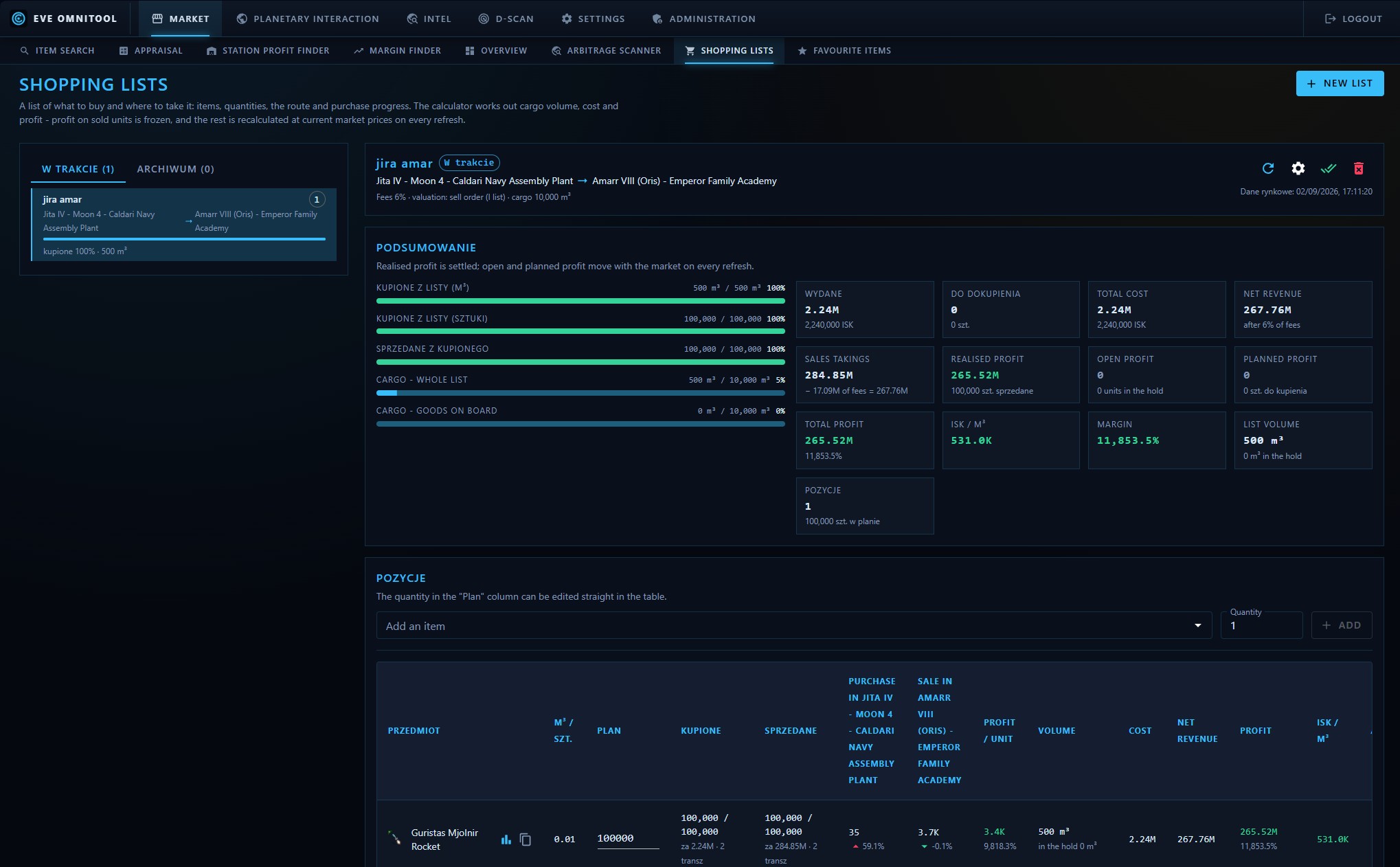
Shopping list priced against the current market
A shopping list priced against the market you actually buy from.

Industry

What an item is built from and what that costs - down to which planet yields the raw resource and what a colony makes of it.

Intel

Where pilots are dying right now, and what it costs to fly through there.

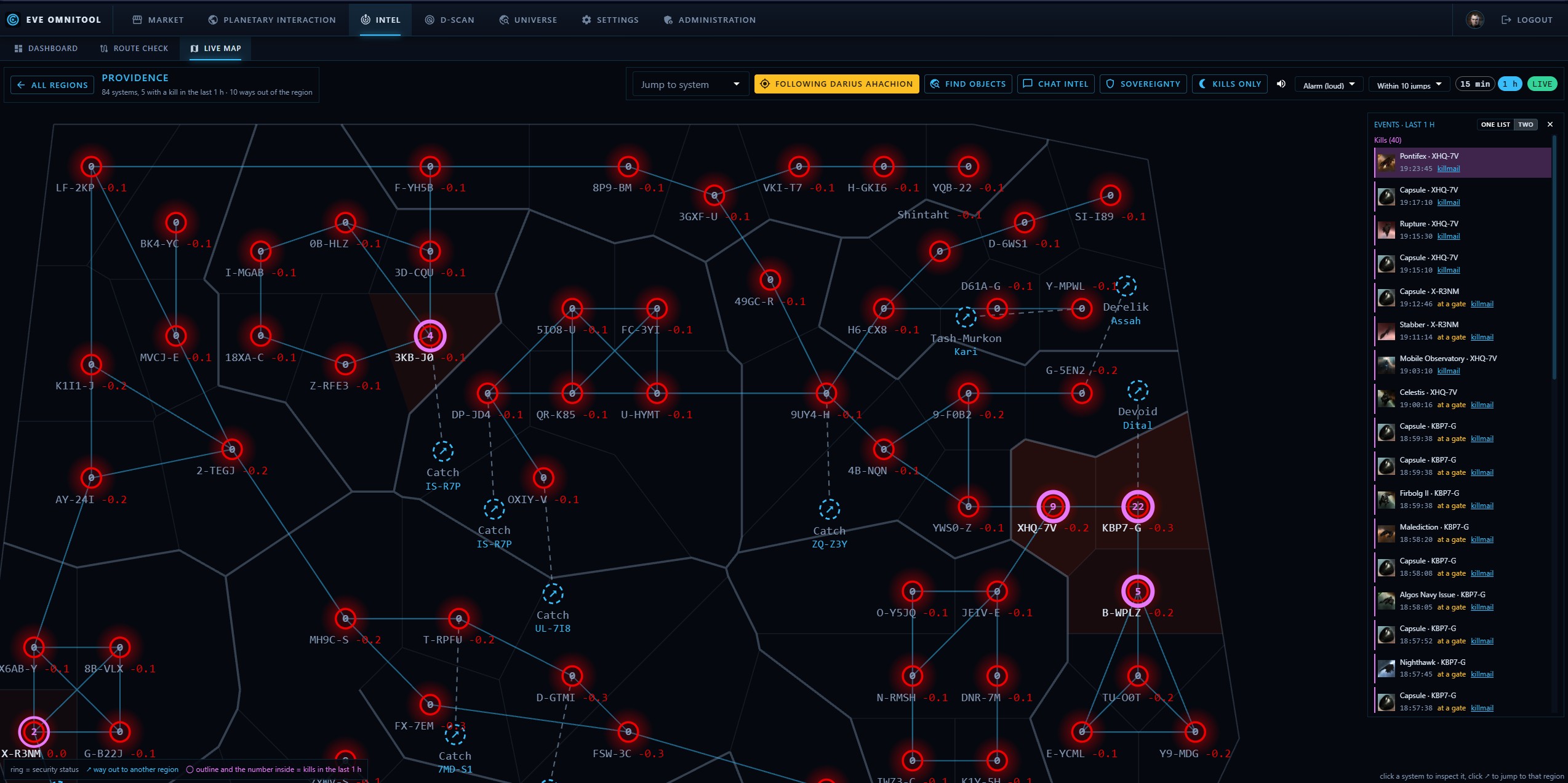
Live map of the Metropolis region: systems drawn as glowing rings coloured by security status, systems with a recent kill ringed in magenta, a kill log streaming down the right side and a panel for the selected system
A region in the shape you know from the game client, lighting up as killmails arrive.
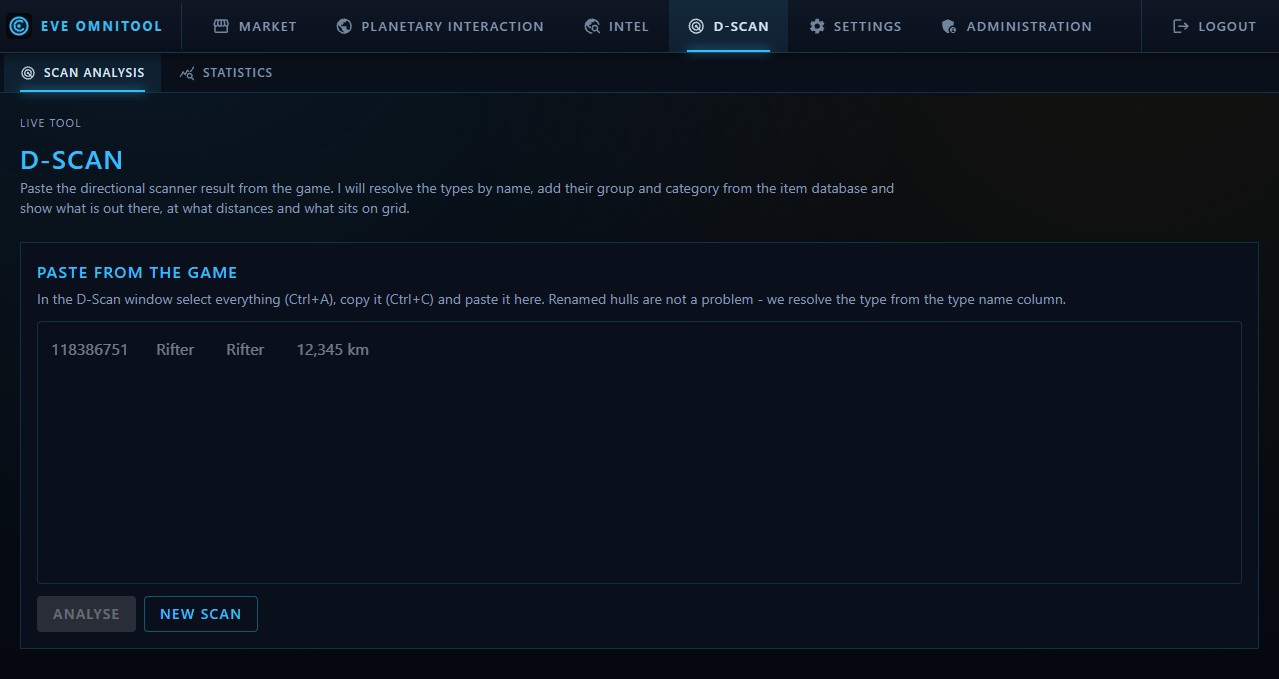
The D-Scan tool before anything is analysed: a large text box for the raw scan copied out of the game, with the button that runs the analysis
Copy the directional scanner window in game, paste it here, done - no upload, no account, no plugin.
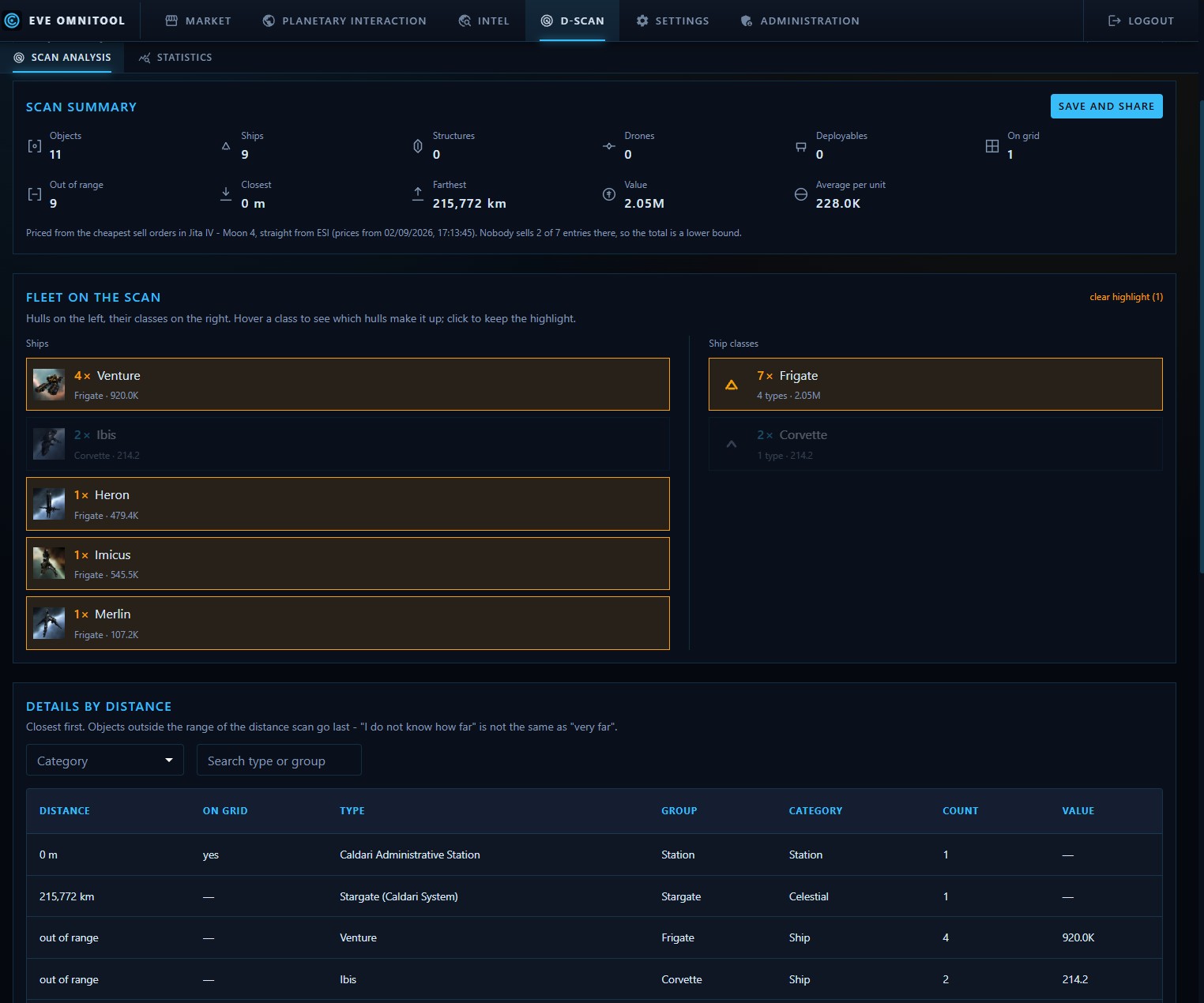
D-Scan analysis: a scan summary with object counts, distances and ISK value, the fleet split into hulls and ship classes, and a table of everything sorted by distance
What comes back: hulls, classes, distances and what the whole grid is worth.

Universe

Who holds what, what is in a system, and who flies for whom.

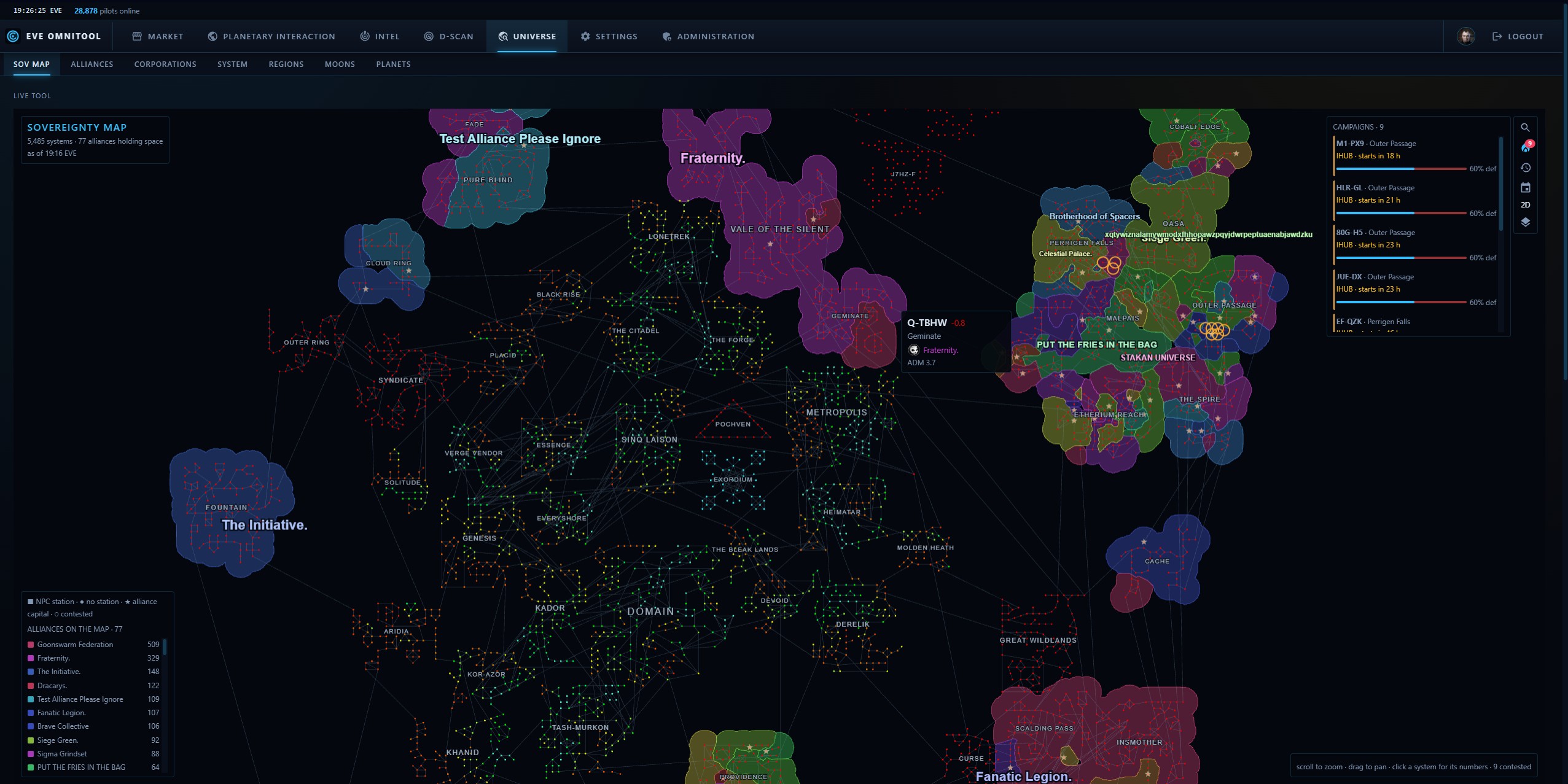
Sovereignty map of New Eden: every system laid out as in the game client, with alliance territories drawn as coloured clouds and their names across them
All of New Eden at once - who holds what, and where the fighting is right now.
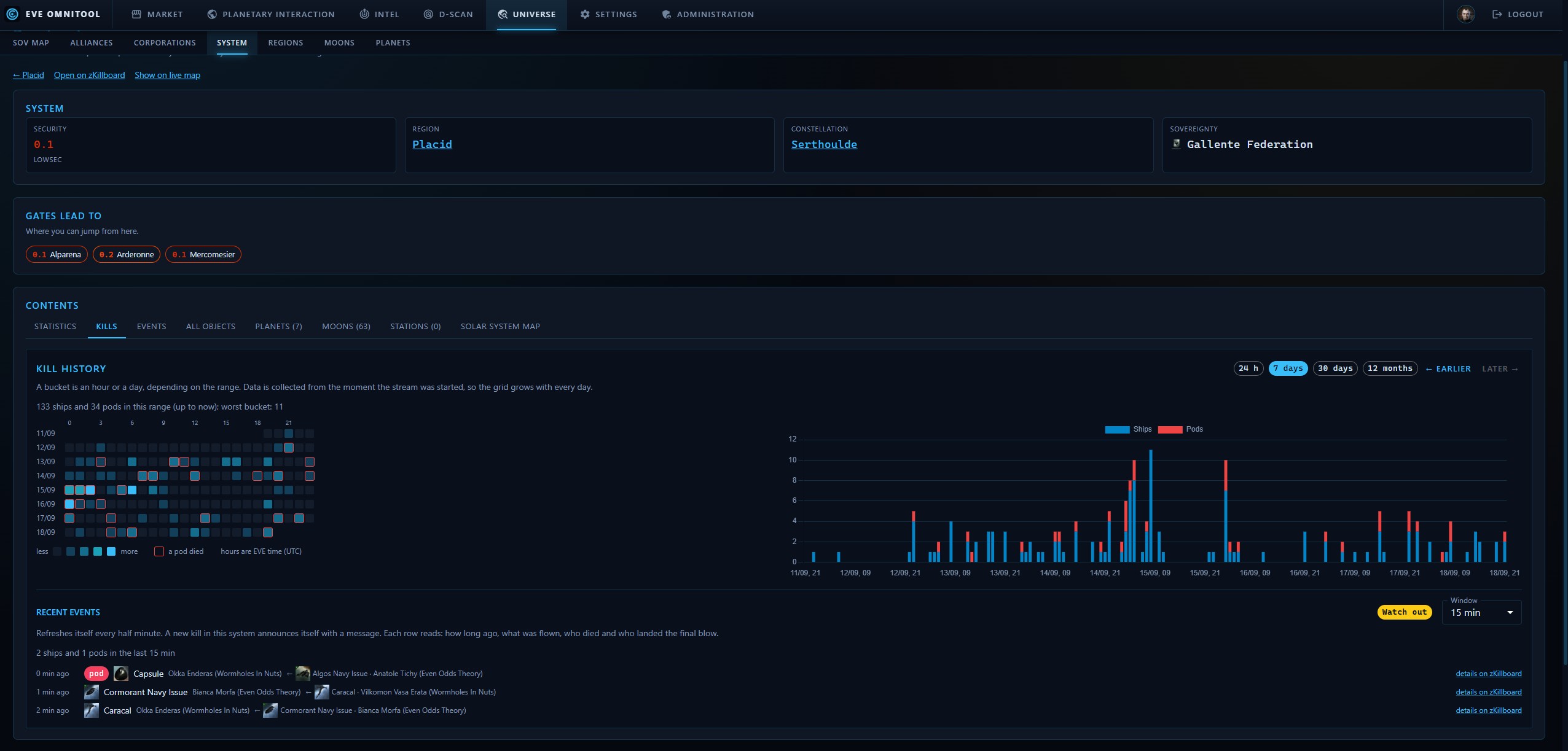
A solar system in the universe browser: kill history with an hourly heat map
One system, hour by hour - so you can see when it is dangerous, not just that it is.

With an EVE SSO account

Signing in adds the screens that need your character. They are not indexed here, because they show your data and nobody else's.

Where the data comes from

ESI · market orders

Sell and buy orders are fetched from the official EVE Online API for the regions and stations this instance tracks, then stored in PostgreSQL. Prices are therefore a snapshot, not a live feed - so every screen tells you when its market was last refreshed, and you always know how old the number in front of you is.

zKillboard · kills

Killmails come off the zKillboard stream and land in the database within seconds of happening. ESI publishes only an hourly aggregate, cached for an hour - which is why a gate camped ten minutes ago is invisible to it, and visible here.

ESI · universe map

Systems, gates, security status and sovereignty come from ESI as well. The map starts from the real coordinates CCP publishes, so a region has the shape you know from the game client.